Persistent MultiExec
Broadcast mode remains active while the focused source terminal changes between panes.

A feature pack for Tabby's built-in MultiExec.
Bring a more flexible, persistent, and intuitive multi-session workflow to Tabby. Manage multiple terminals with greater control while staying in your familiar Tabby environment.
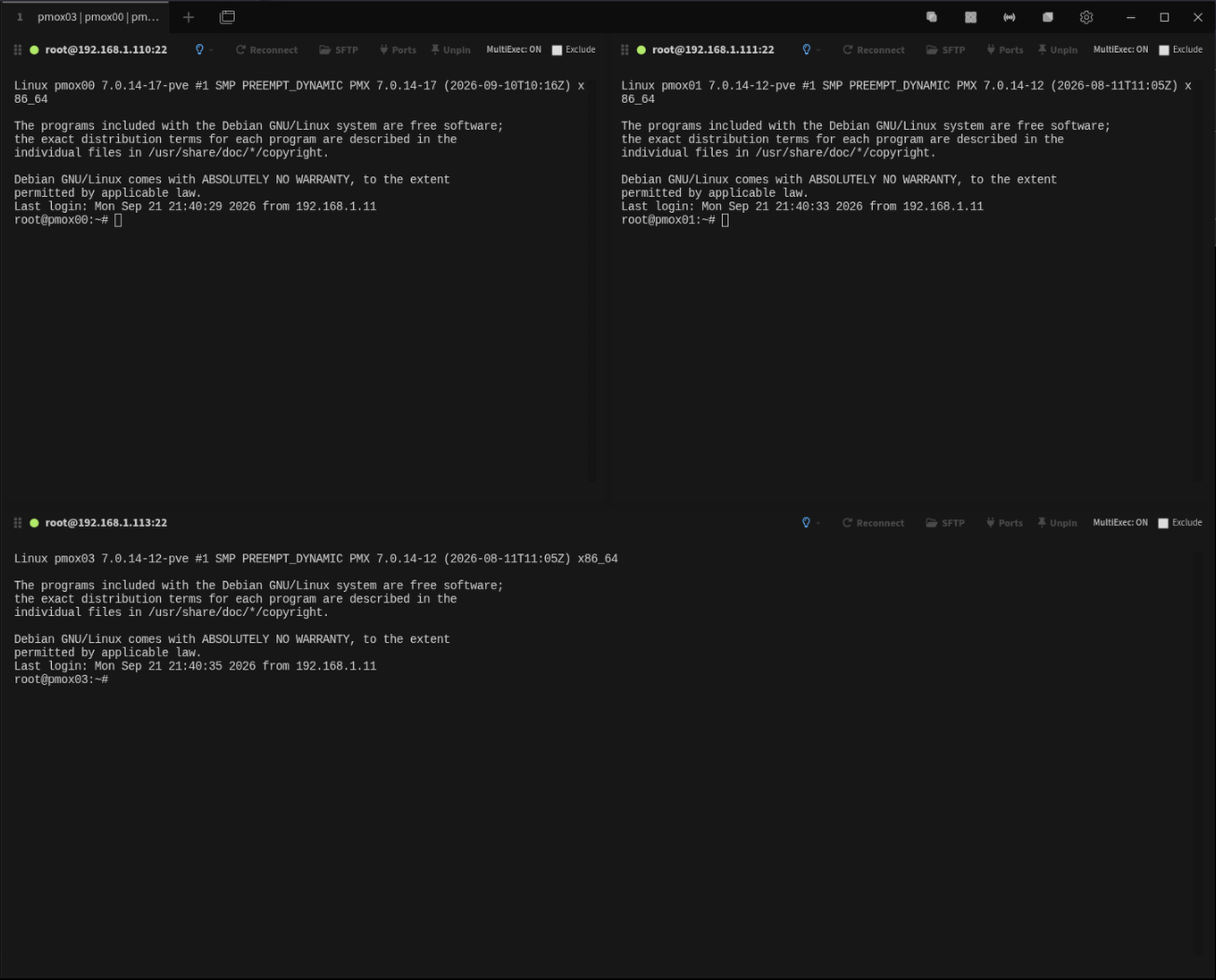
Broadcast mode remains active while the focused source terminal changes between panes.
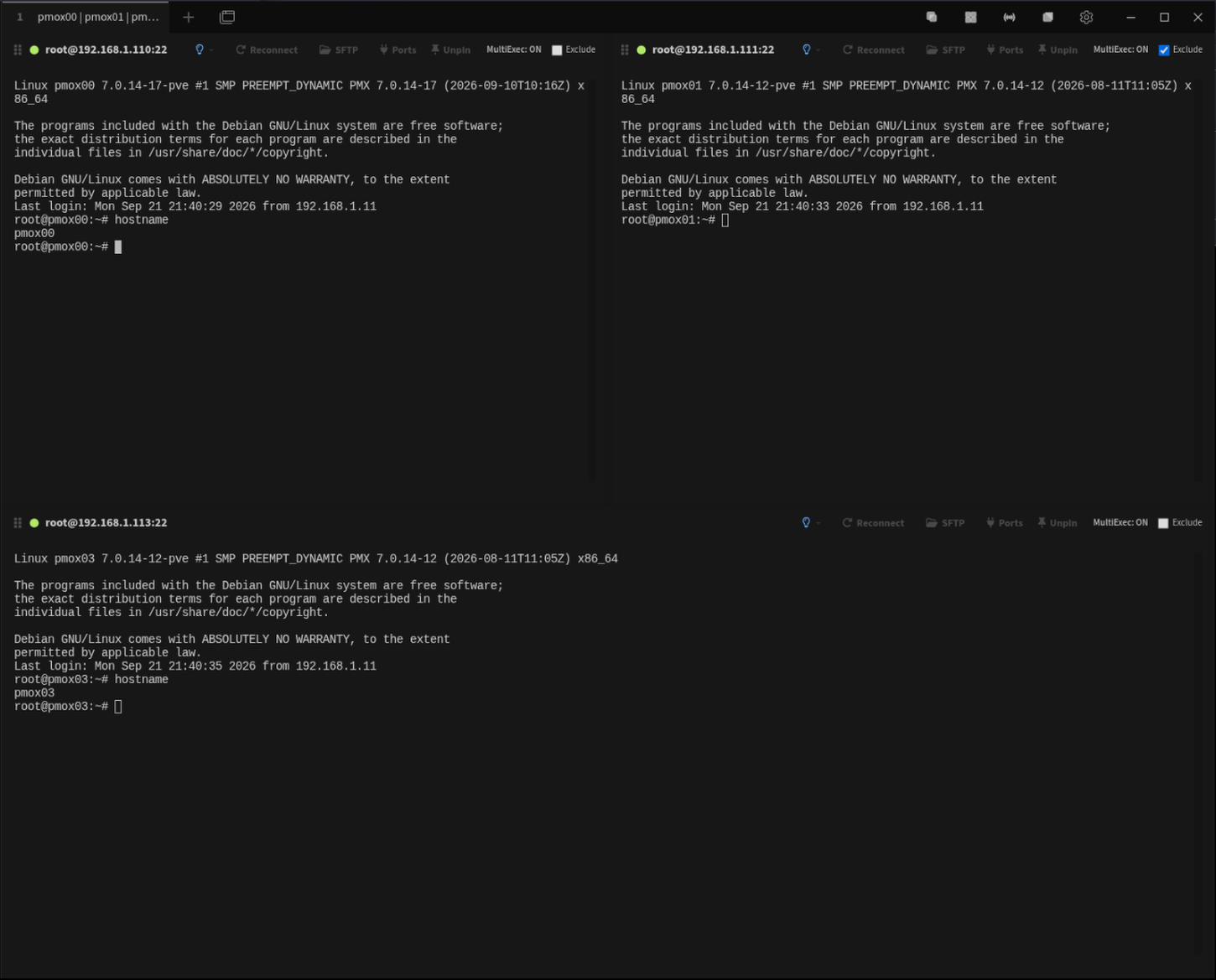
Remove individual panes from broadcast input while MultiExec remains active.
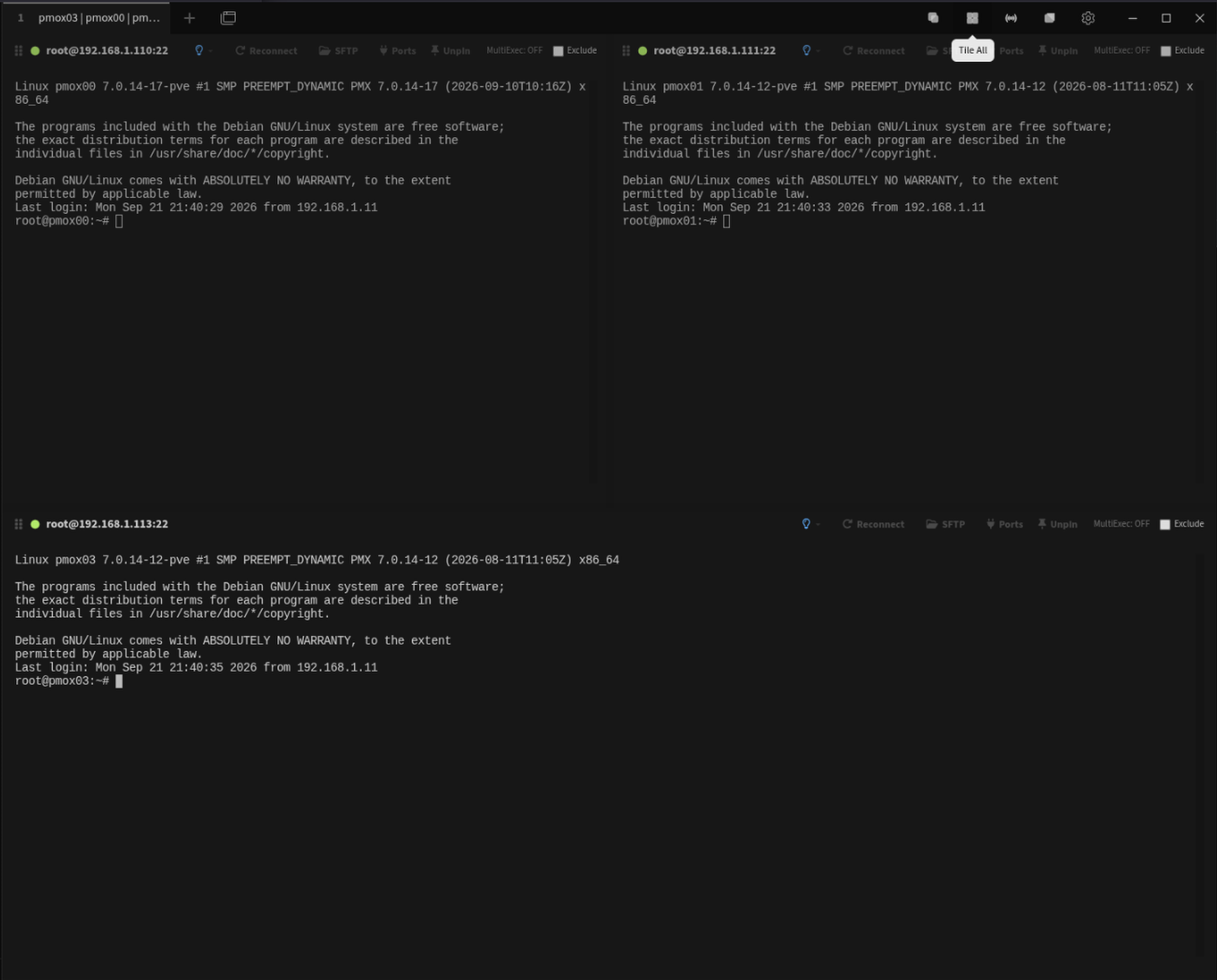
Tile open sessions without enabling broadcast, or disable MultiExec while remaining in tiled view.
Restore tiled sessions to their normal tabbed workflow when the multi-pane task is finished.
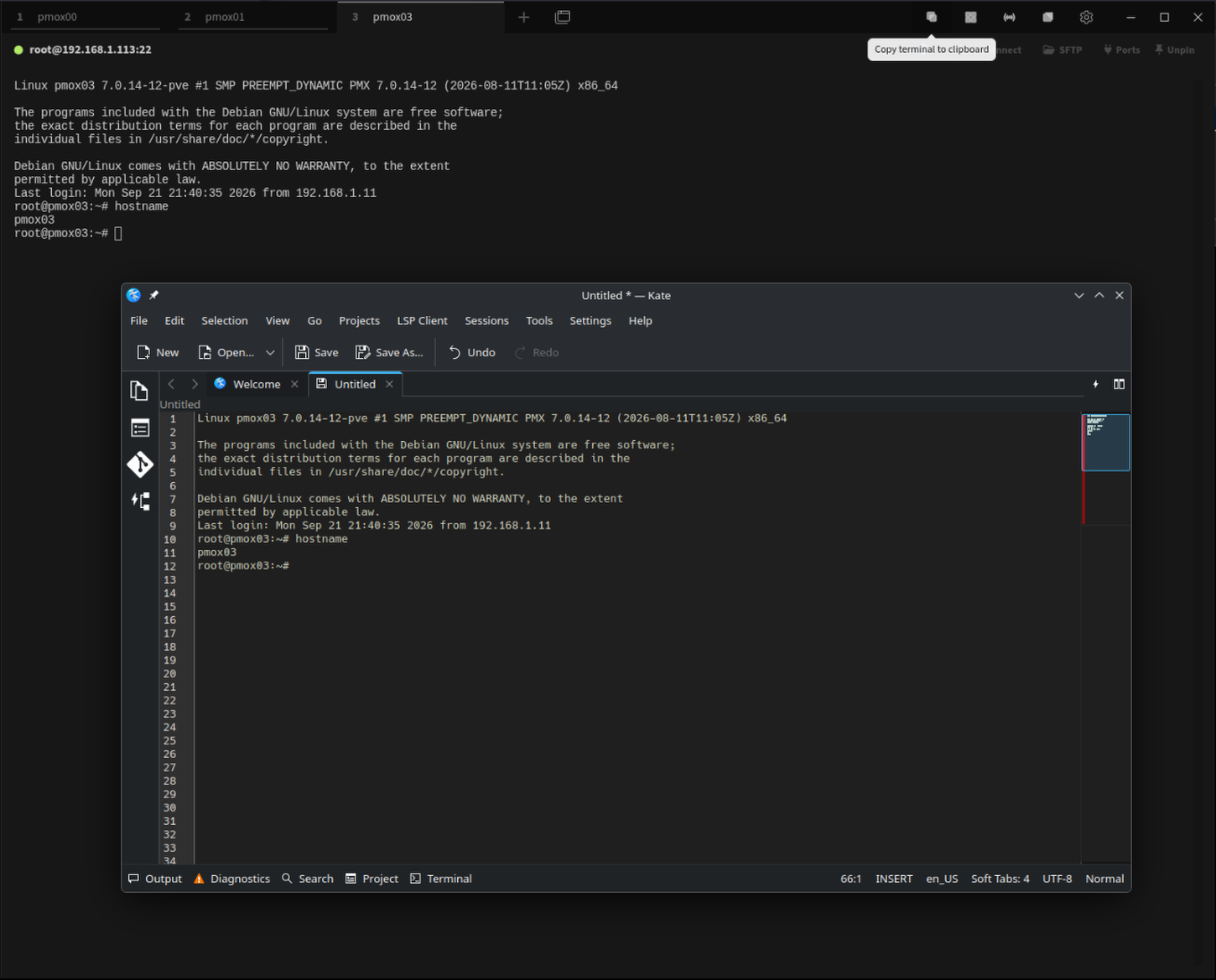
Copy the focused terminal's complete scrollback directly to the system clipboard.
Each pane visibly shows whether MultiExec is currently active and whether that pane is excluded.
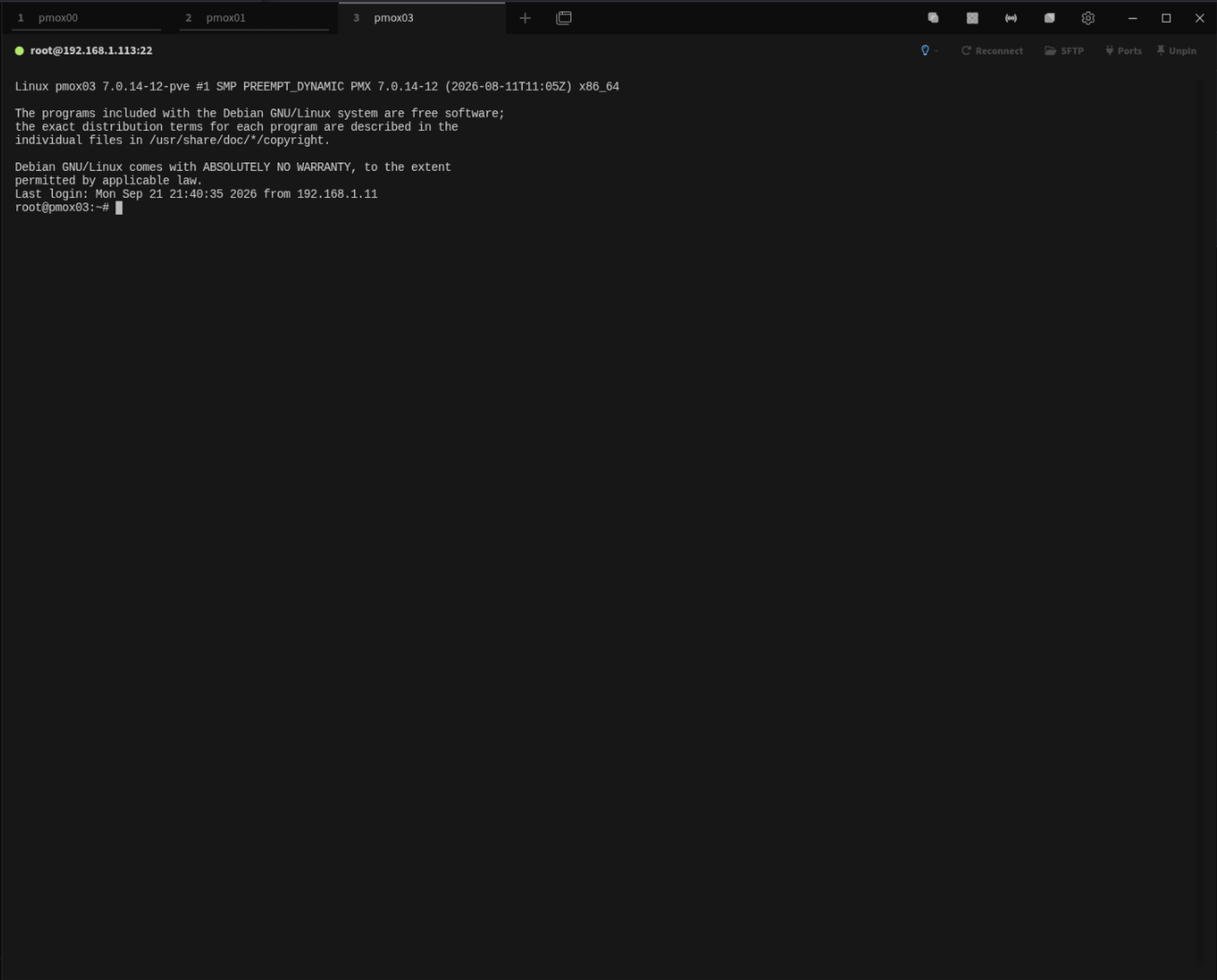
Follow the five-step MultiExec workflow inside Tabby. Select a screenshot to enlarge it.
MultiExec doesn't require a special session model. Begin with the same tabbed workflow you normally use.
Use the Tile control when you want simultaneous visibility without sending keyboard input to every terminal.
MultiExec automatically tiles open sessions when needed and broadcasts input to included panes. Changing focus does not disable broadcast mode.
Check Exclude on any terminal to remove it immediately from broadcast input without stopping MultiExec for the remaining panes.
The Copy control places the complete scrollback of the focused terminal on the system clipboard.
multiexec.Some current Tabby releases have an unreliable plugin search
box. If searching for multiexec returns nothing,
scroll through the plugin list and locate it manually.
npm package:
tabby-multiexec
Other operating systems and Tabby versions may work but have not yet been formally validated.
Version 1.0.3 · September 23, 2026
Version 1.0.3 resolves stale terminal focus after disabling MultiExec and returning tiled sessions to normal tabs.
No external service required.
If you work with multiple SSH sessions or local terminals and want to send the same input across several sessions at once, Tabby MultiExec extends Tabby's built-in MultiExec workflow with additional control and persistence. Users familiar with MobaXterm's MultiExec / Multi-execution workflow will recognize the general multi-session terminal broadcast concept, while Tabby MultiExec remains designed specifically around Tabby's own terminal workflow.
Tabby MultiExec is an independently developed plugin. MobaXterm is a MOBATEK product referenced for comparison only. Tabby MultiExec is not affiliated with, sponsored by, or endorsed by MOBATEK.
Coming from MobaXterm? See how the MultiExec workflow maps to Tabby on Linux.